 Back to nationalgrid.com
How to Read Your Meter
We collect automated meter readings for most of our customers now, but you can still read your meter and track your usage yourself. Regardless of whether you want to track your gas or electric usage, there are three basic types of meters – dial meters, digital meters, and smart meters.
Smart Meter
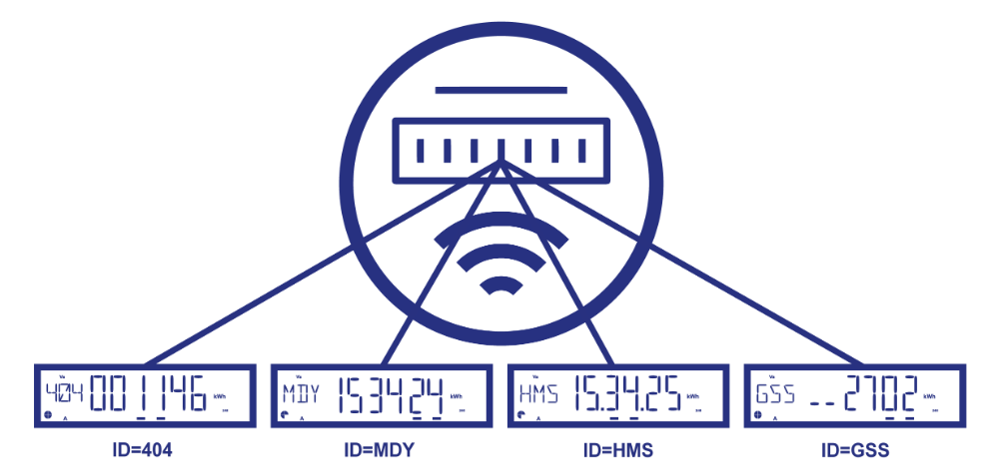
Smart meters show information on a digital display screen, which cycles through multiple displays to show different information. Look at the numbers or letters on the left to understand what is displayed:
- 404: Your total energy use (in kWh) since the meter was installed
- MDY: The current date (month/day/year)
- HMS: The current time (in military time)
- GSS: Used by the meter to check that it’s working properly
Dial Meter
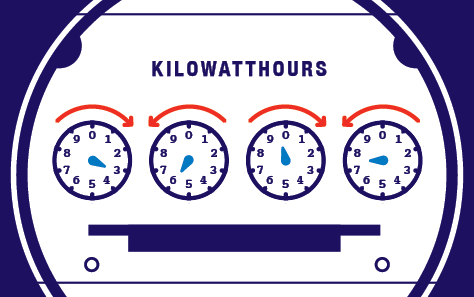
A dial meter may seem tricky at first, but it won’t take long to get the hang of it. The reading for the above meter is 3-5-9-7. Review the rules below and hover over the dials in the image to follow how we got this reading:
- Record your numbers from left to right.
- If the hand is pointed between two numbers, always record the smaller number. NOTE: We count 0 as the highest number the dial can reach because it signifies a complete turn, so treat 9 as the lower number when the dial is between 9 and 0.
- If a hand points directly on a number, check the dial to the right. If the dial to the right was a 9, subtract one before recording the number on the dial. Otherwise, record it as is.
- Don't be confused by the direction of the dials - they will alternate between clockwise and counterclockwise
Digital Meter
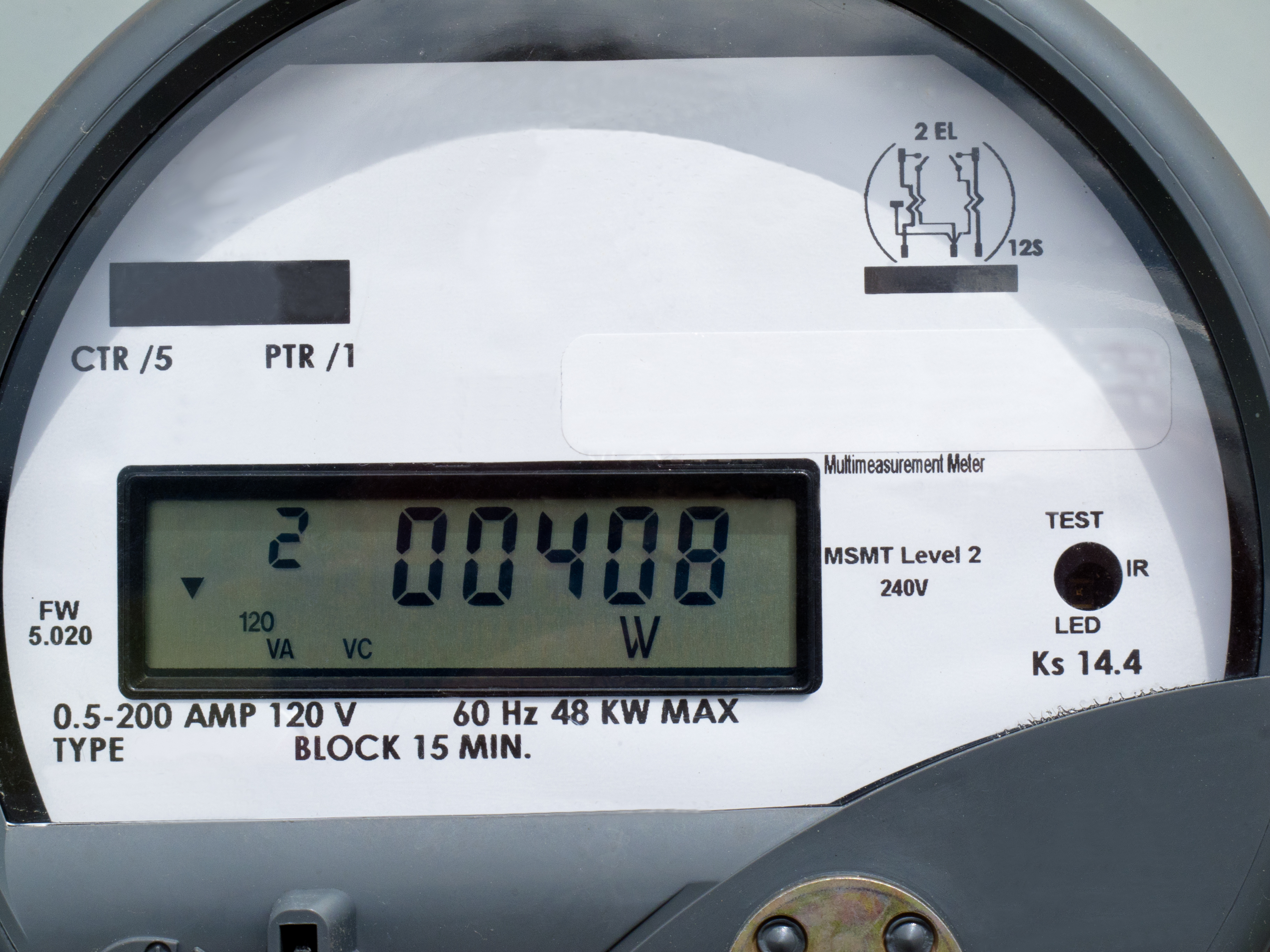
With a digital meter, the numbers are read from left to right. The reading for the digital meter pictured above is 0 - 0 - 4 - 0 -8, showing that 408 kWh of electricity have been used.